



Battery Diagnosis
Lithium-ion battery packs used in DRYFT machines contain multiple high-performance cells and a built-in safety system designed to ensure efficient operation and long service life. Proper understanding of how these batteries behave is essential for maintaining performance and avoiding irreversible damage.
1. How Lithium-ion battery packs work
Multiple cells, one battery pack
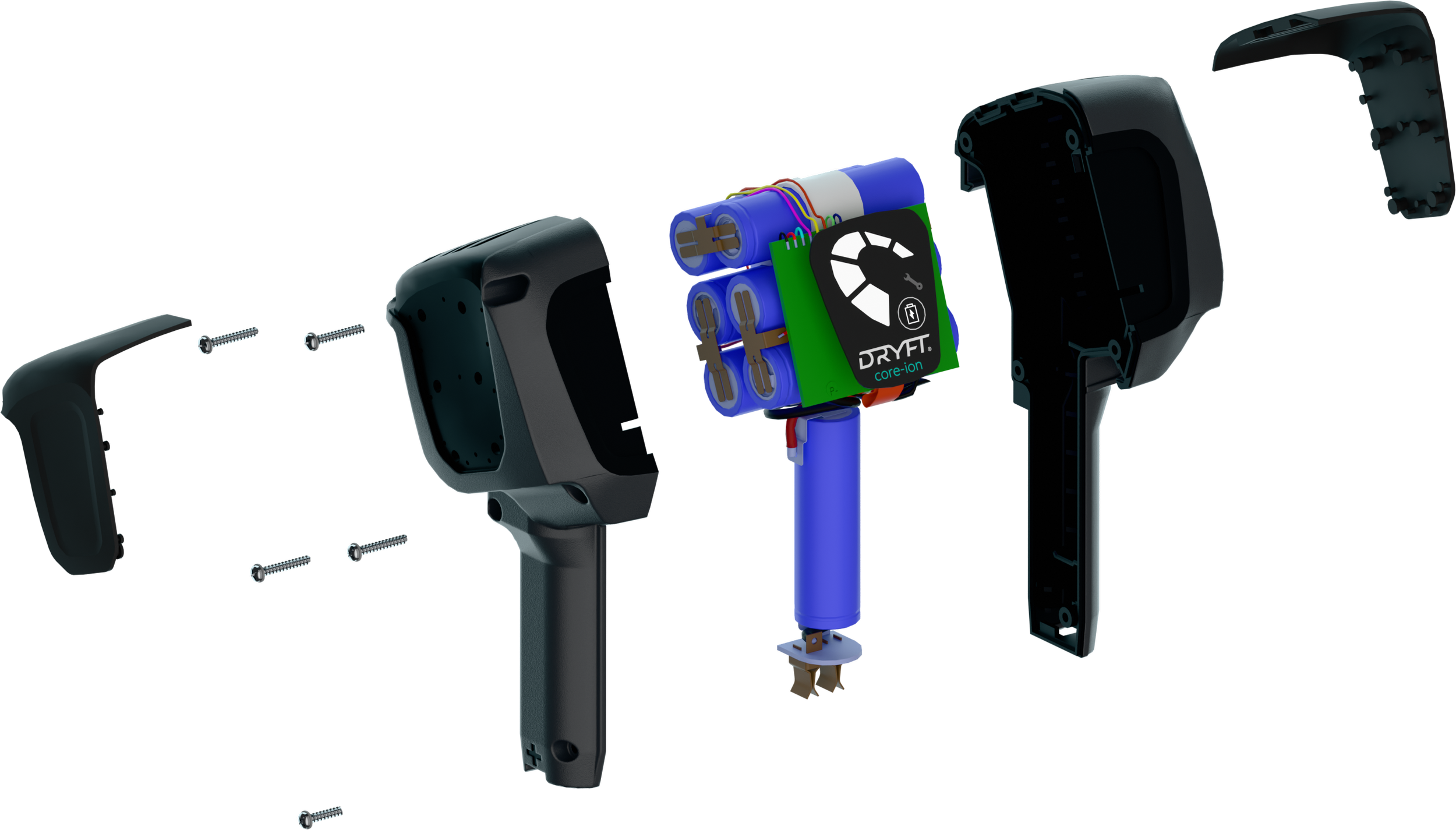
A DRYFT Core Ion battery pack is made up of several lithium-ion cells.
Normal cell voltage: ~3.65V
Cells work together to deliver the required voltage and capacity for the machine.
Built-In Battery Management System (BMS)
Inside every pack is a BMS (Battery Management System) – a printed circuit board that performs essential safety and balancing tasks, including:
• Monitoring the voltage of each individual cell
• Ensuring voltage balance across all cells
• Monitoring temperature for safe operation
• Preventing overcharge, over-discharge, and overheating
• The BMS consumes a very small amount of power at all times to perform these monitoring functions.
2. Natural discharge and the importance of regular charging
Battery disconnected from the machine
Even when unplugged from DRYFT, the BMS slowly drains the battery due to continuous monitoring.
A disconnected battery can typically sit for up to nine months before the voltage becomes critically low.
Beyond this period, the cell voltage may drop too low for safe recovery.
Critical low voltage
If any cell drops below 2.5V, the battery becomes non-recoverable.
For safety, the BMS will block charging, permanently disabling the battery.
3. Why you must disconnect the battery from the machine
When connected to DRYFT - even when the machine is switched off - the machine’s internal PCB consumes a tiny amount of power while awaiting the signal to activate.
This continual draw means:
A fully flat battery left connected to the machine for three weeks can discharge below the safe limit.
Once below the safety threshold, the battery cannot be revived and becomes non-usable.
This is why immediate charging and disconnection after use is essential.
4. Recommended best practices:

-

For end users
✔ Disconnect the battery from DRYFT after each use and place it on charge immediately. Fully discharged batteries need to be charged within 12 Hours. If a fully discharged battery ( Which is disconnected from the machine ) is not charged within two months it will cause permanent damage and invalidate the warranty.
If storing the machine for long periods:• Disconnect the battery from the machine to prevent unnecessary drain.
• Ensure the battery is charged to 60% and schedule checks to check the battery level every 6 months whilst in storage.
• If batteries are left connected to machines for long periods of none use, this can lead to the battery becoming fully depleted and cause permanent damage resulting in invalidating the battery warranty. -

For distributors
To protect your inventory and ensure battery longevity:
Machine Stock
• Ensure Battery is Disconnected from the machine whilst in storage.
• Charge batteries to 60% during long storage
• Check machine battery levels every 6 months.Spare Batteries
• Check stored spare batteries every six months.
• Maintain a 60% charge level.Shipping Requirements
• Lithium-ion batteries must be shipped at 30% charge level for air freight, When shipping by road, battery charge level can be higher ( Important to check your local shipping regulations ).Batteries stored for long periods without regular monitoring may fall below safe voltage levels and cause permanent damage to the battery rendering the battery un useable and invalidating battery warranty.
5. Warranty conditions
Batteries that have been allowed to self-discharge due to lack of scheduled charging or extended storage without monitoring will not be covered under warranty.
If the battery has been disassembled it will not be covered under warranty.
To ensure full warranty protection, please follow our guidance on battery storage and charging.

Summary: Keep your DRYFT batteries healthy
• Lithium-ion cells naturally discharge over time due to the BMS.
• Leaving batteries connected to the machine accelerates this discharge.
• Regular charging and proper storage prevent irreversible damage.
• Monitoring charge levels protects both the user experience and warranty coverage.
When your DRYFT CORE-ion battery is not behaving as expected, this guide will help you quickly identify the issue and get back to cleaning with confidence.
1. Battery level indicator not illuminating
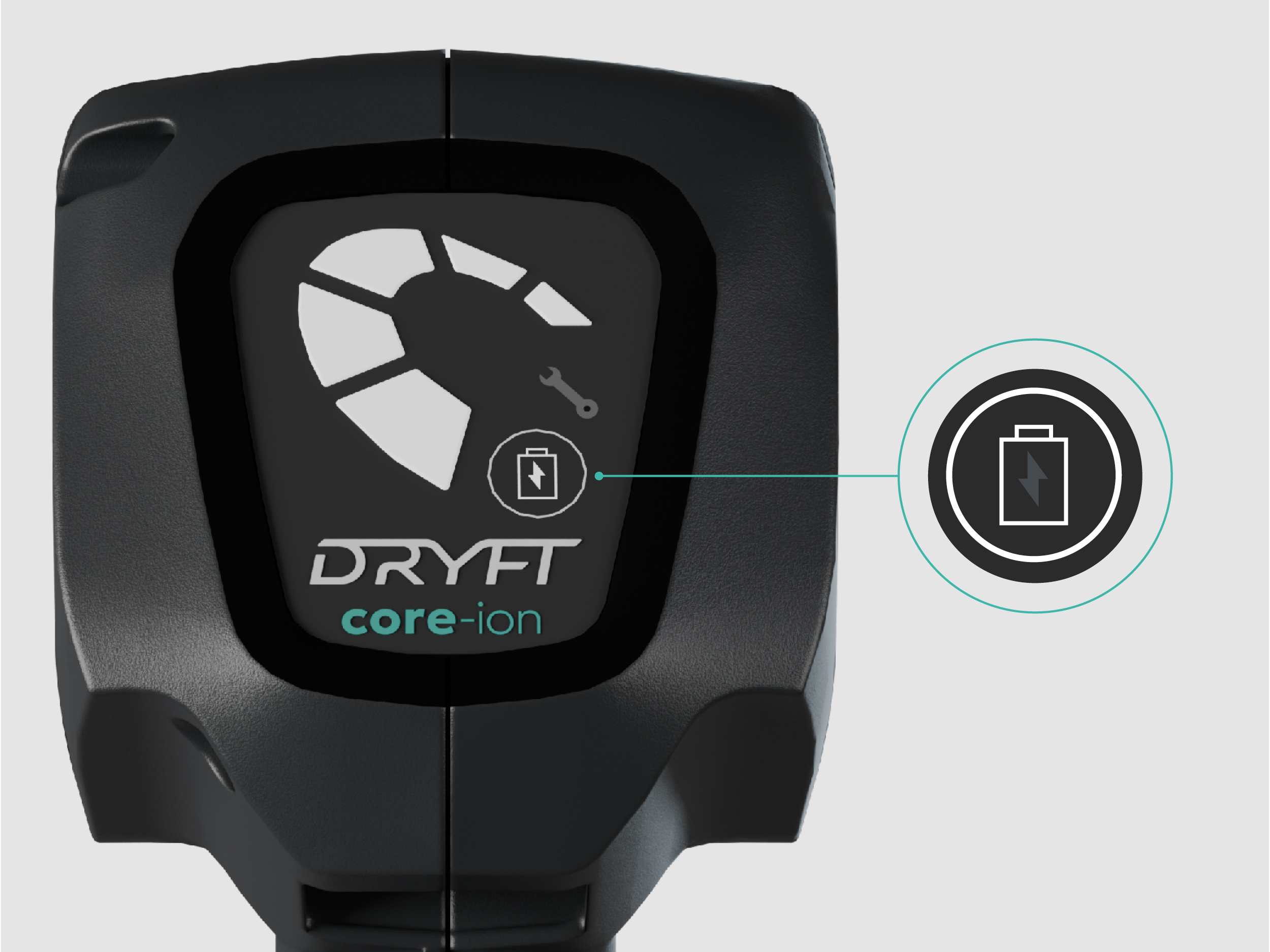
If you press the battery indicator button and no lights appear, this typically means one of two things:
The battery is completely discharged.
ORThe battery’s illumination panel (LED indicator) may be faulty.
Before concluding a fault, continue with the steps below.
2. Connect the battery to the charger
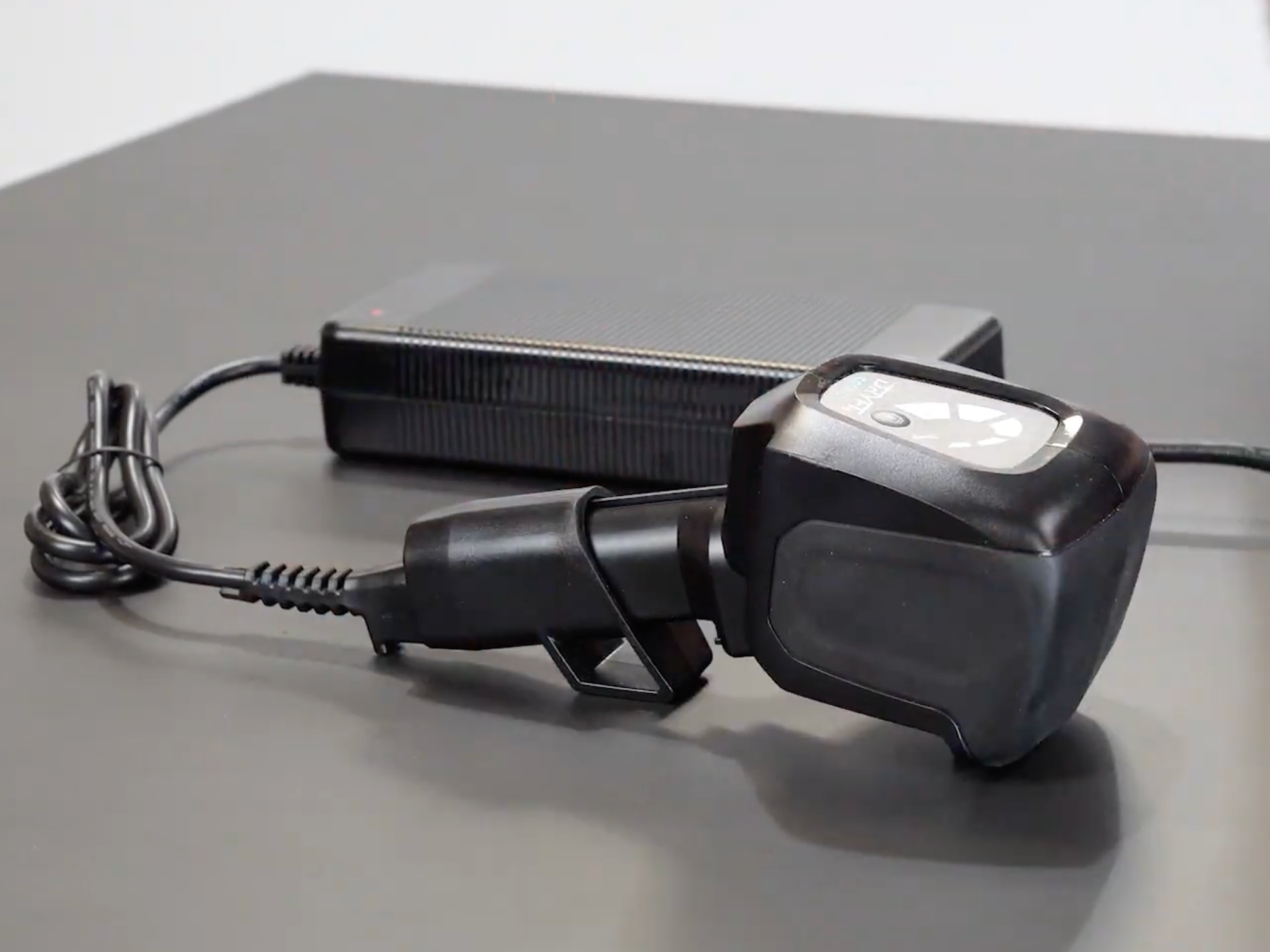
Plug the battery into the official DRYFT Core Ion charger and observe the charger light:
Charger light behaviour
Green → Red:
This means the battery BMS has detected the input power from the charger and is now charging normally.
When charging correctly, the battery provides a second confirmation:
Battery indicator feedback
The Battery Level Indicator will flash during charging.
If the charger light turns red but the battery indicator does not flash, the illumination panel on the battery may need inspection or replacement.
Hold down the battery button for 10 seconds to reset.
If the charger remains green and does not switch to red, there are two possible reasons:
-
1. The battery voltage has most likely dropped to a level too low to be safely charged.
Try Holding down the battery Indicator button, this will reset the battery BMS and may awaken the battery from deep sleep mode. After holding the power indicator button if the battery does not charge and you have confirmed you charger is operational, unfortunately the battery cell voltage has dropped to a level too low which is no longer safe to charge and the battery will need to disposed off and a replacement battery is required.
-
2. The charger is faulty (less likely).
To check if the charger is faulty a multimeter can be used to detect if the charger is outputting power. Select DC -24V on the multimeter and connect to the charger pins, if the multimeter reads an output of 24V the charger is functioning correctly. Alternatively use a second DRYFT charger if you have one, which you know is charging other DRYFT batteries.
What each outcome means:
-
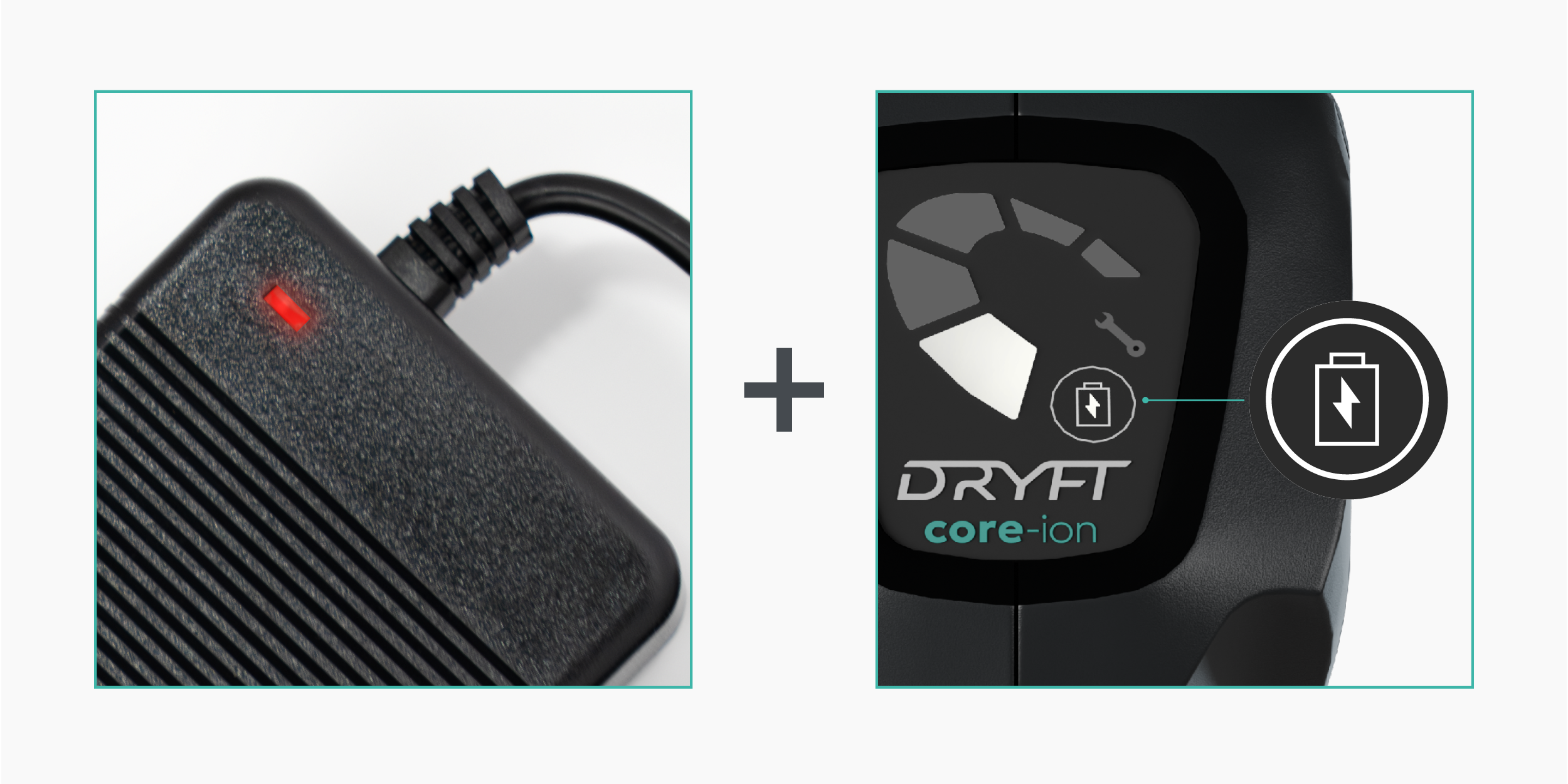
Red charger light + flashing battery indicator
Your battery is charging normally. The battery was likely fully discharged.
-
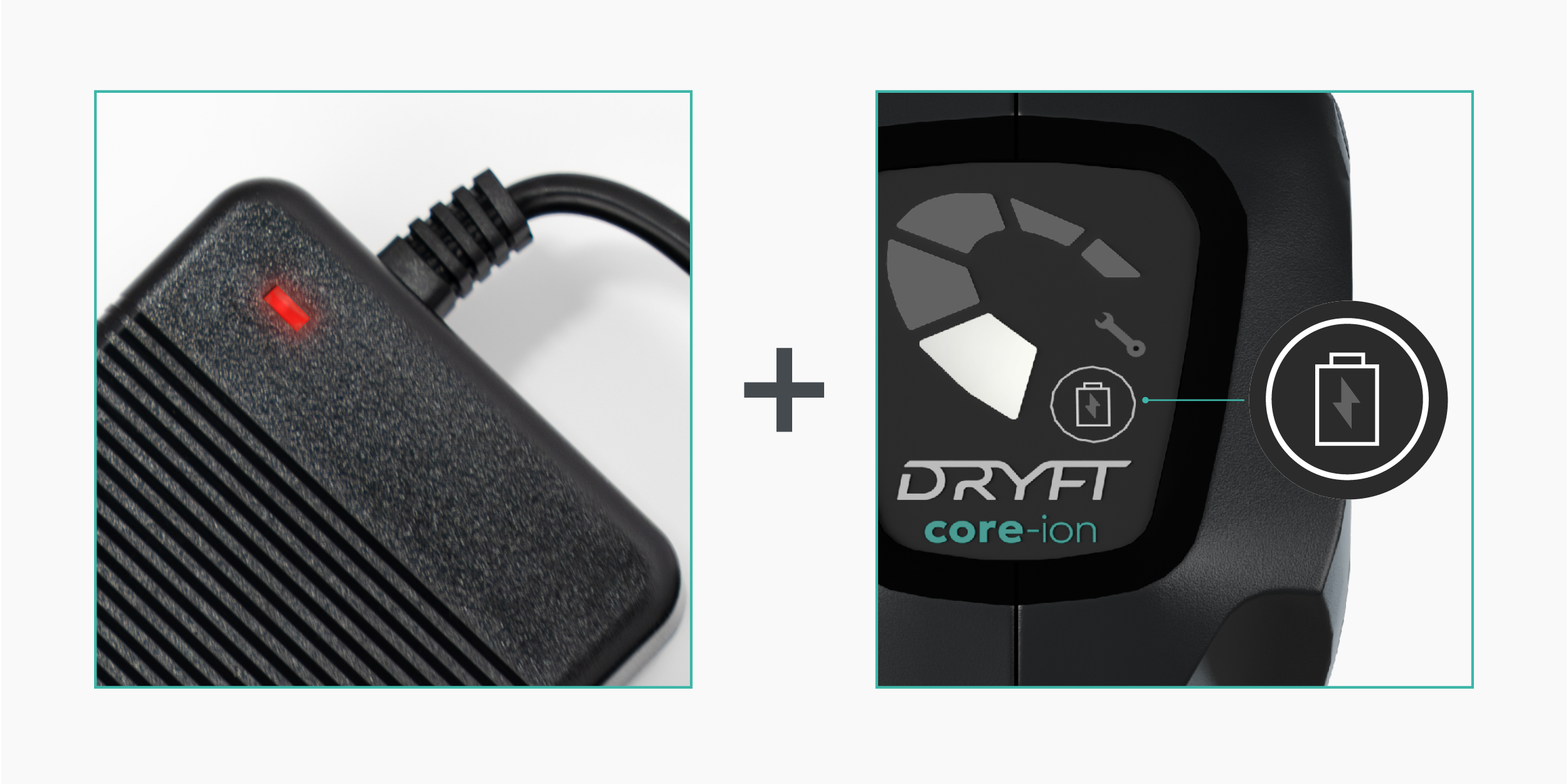
Red charger light + no flashing indicator
Battery is charging, but the indicator panel may be faulty.
-
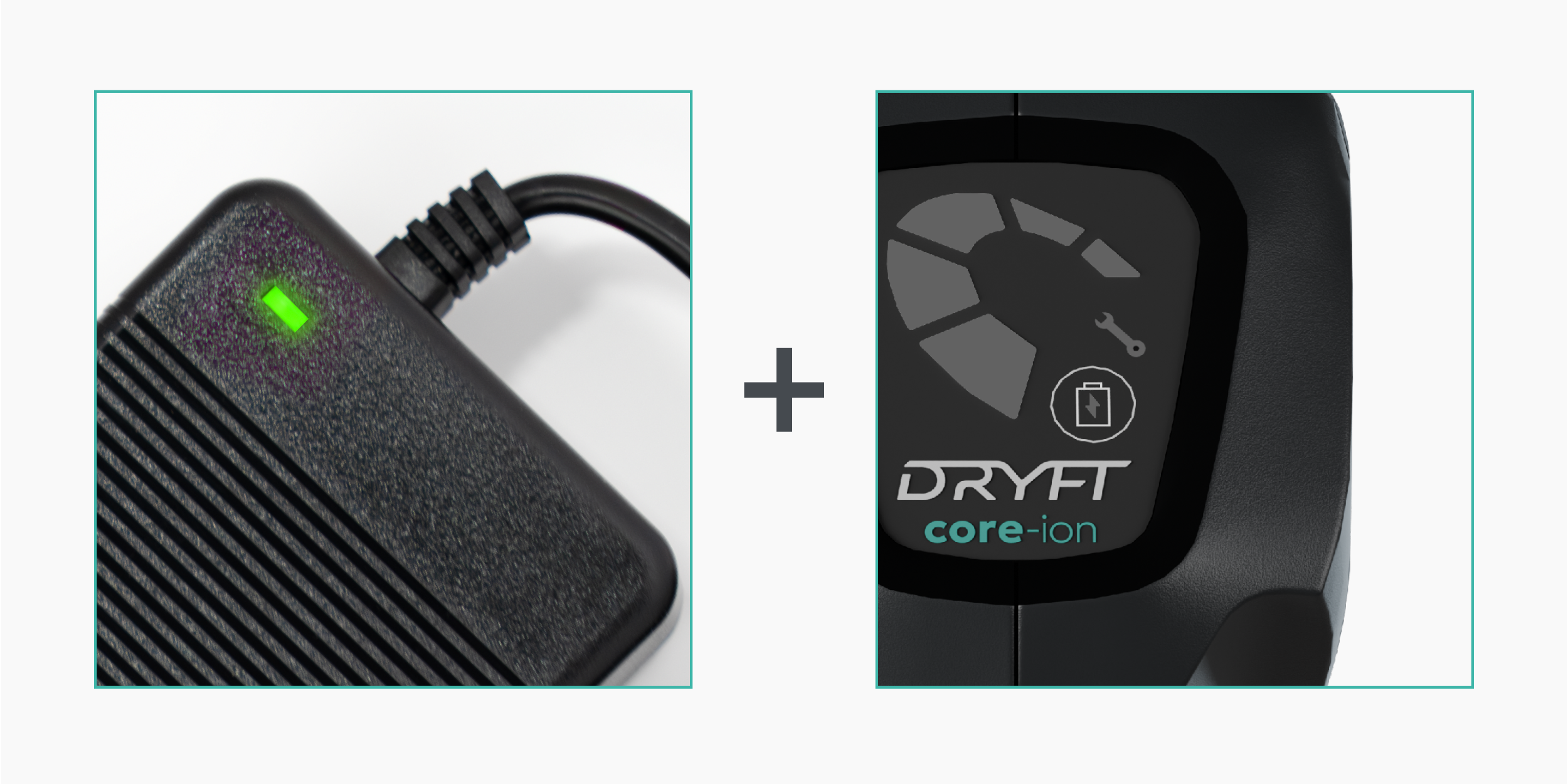
Charger stays green + no battery indicator lights
The Battery cannot detect the charger
Possible causes:
• Battery is deeply discharged beyond normal recovery
• Battery fault
Next steps if the issue persists
If the battery still does not illuminate or charge properly after following this guide:
• Try a different charger (if available)
• Check the charger cable and connections
Contact our Warranty Centre with the battery’s serial number.
